
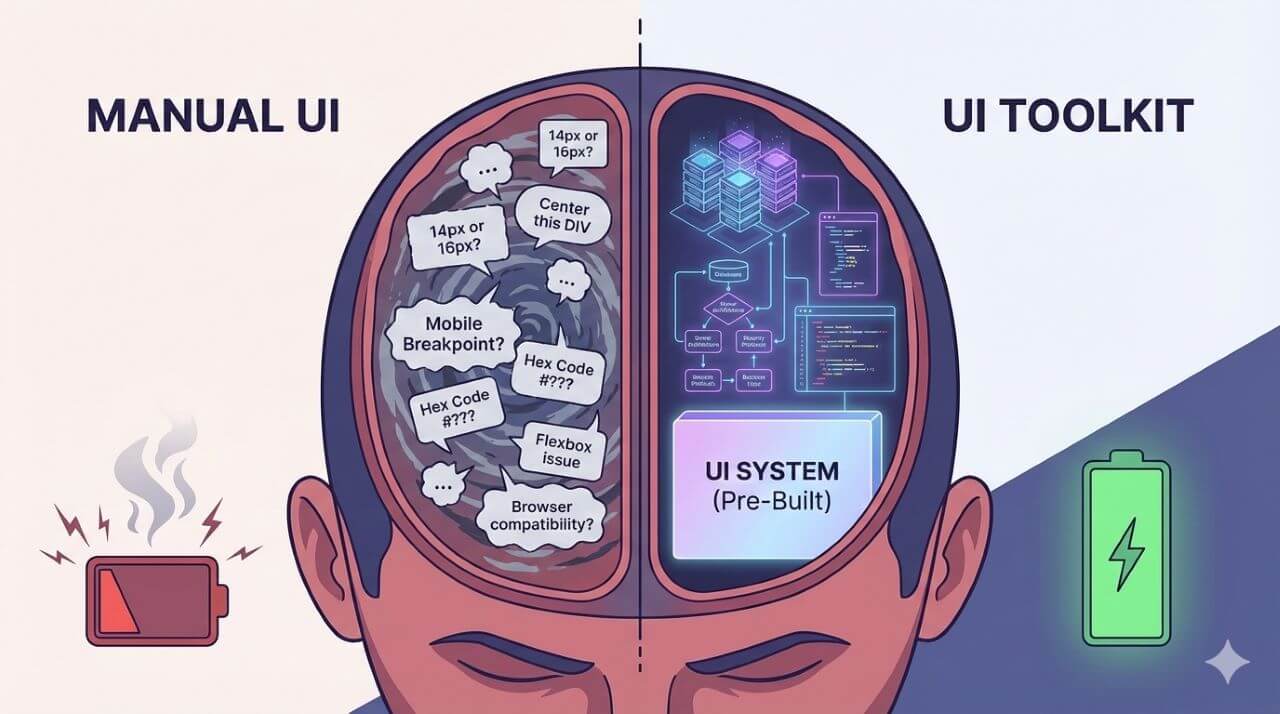
Building large bespoke systems will make you appreciate the power of UI toolkits. Have you ever worked on a system, whether OS-native or web-based, for more than 3 months? If you have, then the following primarily happens along the way.
You start okay, following the design plan, with every interface component placed in the right place. After the first month or so, you begin noticing inconsistencies such as:
- Not all buttons have the same color
- The navigation bar on the other pages does not fit the screen width as it does on the homepage.
- The modals in use are inconsistent since they are from different sources
- A junior developer came in and downloaded outdated components to be used on the project
That’s a design drift that requires a UI kit to save your system.
UI Designs Demand Consistency
Design drifting is a problem that all developers working on medium-to-large systems face. In modern web design, the lack of consistency has dire consequences on what you push to production.
Apart from boring users with poor design results, search engines will not rank you. Also, if a physically challenged person bumps into a flaw that leads them to make a mistake, you may end up with business-crushing lawsuits.
UI toolkits provide the structural solutions you need to achieve cleanliness and consistency in your application design. As we move toward an online future, these kits will provide the design foundation all developers need before launching their products.
How UI Toolkits Help Developers Deliver Cleaner & Consistent Interfaces
Everyone is on Onboard
Coding in web development has its fair share of challenges. One of them is having a unified architecture that developers follow, regardless of team size.
UI toolkits such as TimelyUI solve these problems by providing prebuilt components that bring everyone on board and point in the same direction. When everyone on the team is fetching parts from the same toolbox,
- Nobody has to redesign buttons
- You don’t need to come up with CSS-based classes every time
- Spacing scales, among other definitions, remain the same
You get the point? UI kits enforce a given standard on whatever you are designing. When one is not in place, senior developers have to deal with issues like:
- Junior developers are taking time to learn the naming rules
- New members of your team are inheriting previous mistakes
- You deliver products or features that may look okay, but they are not
The last point could remind veteran developers of an old coding joke that illustrated how shoddy coding practices can support the best UI designs.
With the right kit in your design works:
- Junior and new developers have an easy time learning and getting on board
- You don’t need to have new CSS styles unless a demand comes up
- Any visual mistakes belonging to the past remain in the past
That makes everyone’s work easier. Senior developers will find it easy to document the review feedback, since the technicians are nailing it. The results are that, regardless of who wrote the code, your UI will remain uniform.
It’s Like LEGO, You Don’t Manufacture the ‘Blocks’
Did you play LEGO as a kid? If not, you must have played around with a few building blocks in your toddler days.
While playing, did you melt any plastic or cut out wooden blocks to make the building materials? No. You played with the materials you had to come up with the cars, trains, and characters. Now, compare that to UI toolkits.
User interface building blocks let you use a 'LEGO' workflow, since they are already built for you. The truth about backend developers (aka the logical thinkers) is that they want to spend more time on functionality.
So, instead of thinking about every card and list design, they can use the ‘pre-made blocks’ to work on the data flow aspects. The components and elements in your toolkit are already tested for:
- Accessibility
- Mobile responsiveness
- Browser compatibility
- Overall performance
…and other factors that contribute to good UI design practices. So, instead of coding that option box for the 10th time, just pick it, assemble it, and customize it.
Safety in Consistency
In web development, most UI bugs start with something inconsistent. It could be:
- More padding on the left than on the right
- Some custom overriding CSS
- A modal that doesn’t use modern coding conventions
That could apply to one or two components in use. Now, multiply that by about 15 features on a custom web-based application meant to serve folks for the next four years or so before the next major upgrade.
In that timeframe, people will be dealing with:
- Inconsistent accessibility
- Distorted layouts on smaller screens
- Awful mobile experience for the users
Such issues expose design liability, which can even be dangerous to the web platform you are working on. You may experience:
- Complaints about broken modals on mobile
- Bad user experiences
- WCAG & ADA violations
- Poor crawling results from search engines
UI kits are designed to eliminate the need to deal with such risks as you progress. They allow what you are working on to have a single:
- Card structure
- Spacing system
- Modal pattern
- Form architecture
When you follow a given system or toolkit model, you don’t have to make decisions that will divert the development from the main route. That prevents any accidental overlapping among other incompatibility issues.
When your UI meets the baseline quality, you get insurance against harsh questions from your QA team in the future.
The Overall Performance is Predictable
Having UI kits that readily adapt to your customization and backend requirements helps you know what to expect. It's like having a metric for developers to gauge how you are doing as development progresses.
In most custom UIs, developers often face a problem. It involves a mix of fast and slow pages, depending on the underlying code. Having a product with such inequalities causes:
- Poor testing scores
- Uneven loading behavior
- High bounce rates after production
- Having to deal with angered users and clients
Having pre-designed kits for the presentation part allows you to fix such problems at the structural level. That allows your components to have the same:
- Logic where applicable, and if repeated
- Loading structure (such as skeletons)
- Transition mechanisms
- Validation patterns
- Wrapping structures
That's how you achieve an equality that allows you to know what to expect as you expand. As you continue working on your systems, you know exactly what to do to:
- Optimize the overall SEO experience after production
- Avoid slow loading on pages by fetching or sending more data packages
- Get rid of frontend bugs
- Ensure users have the same experience throughout
All that and more flows your way without you having to work any harder or put in extra hours.
Applying More Effort Where It Matters
As applications and development methods continue to evolve, people will rely more on data. The data, as complex as it will be, still needs a better reading surface to make comprehension easier.
Those dealing with logic approaches on the web app in question need more thinking on:
- The overall architecture
- Data models
- API design and configurations
- The whole backend logic
That means the work of determining where the widgets should appear and how they look is left to the toolkits and the frontend guy. Having TimelyUI in the development cycle, along with other compatible kits in our case, allows minimal shifts to Tailwind CSS, Alpine, and Livewire.
So, regardless of what the web app collects or displays, the UI remains the same, with clean, consistent approaches throughout. It will make it easier to make decisions leaning on the UI end.
Final Thoughts: UI Kits Are Consistency Multipliers
If you are building a user interface first every time you have a new web app, that's the hard work of making the building blocks. It's like manufacturing components first before moving them to the site where they are needed.
There is no problem, but as you progress, you will see many inconsistencies in your results. UI toolkits bring in the engineering aspect. You have tried-and-tested building blocks that you can assemble into a desirable interface.
We have TimelyUI for you to try if you have applications that rely on the TALL stack. Include it in your development collection and see how smooth interfaces come up.
Frequently Asked Questions
1. Will pre-built components from UI toolkits make my application look generic?
Yes. Your overall application will look generic if you don’t customize the components you fetch. Most web-based apps currently use well-known toolkits. Ensure you align them with the branding requirements. It's also a good idea to use UI kits that offer sufficient flexibility or a wide variety of components, like TimelyUI.
2. How will TimelyUI ensure the same spacing system and typography across a web app?
TimelyUI has component libraries and design tokens that use Tailwind CSS and Alpine.js to define spacing, sizing, and other common style patterns. They are then used across all elements in our library to ensure they maintain the same spacing and typography hierarchy.
3. Does a clean and consistent interface architecture improve core web vitals?
Yes, a clean and consistent interface improves core web vitals through:
- Division of CSS and JS codes into smaller chunks that improve the Largest Contentful Paint (LCP).
- Fewer code chunks that avoid JavaScript overuse and improve user interactions – Interaction to Next Paint (INP).
- Clean interfaces avoid content shifts during page load, thereby improving Cumulative Layout Shift (CLS).
4. Will my web UI be affected if my toolkit gets updated?
Yes, your web UI will be affected if a toolkit is updated. The new changes can either improve the elements you use for a more stable layout. They can also cause compatibility issues or unexpected behavior on your platform.
In TimelyUI, you will always receive messages on the updates and how they may affect the components you use.