
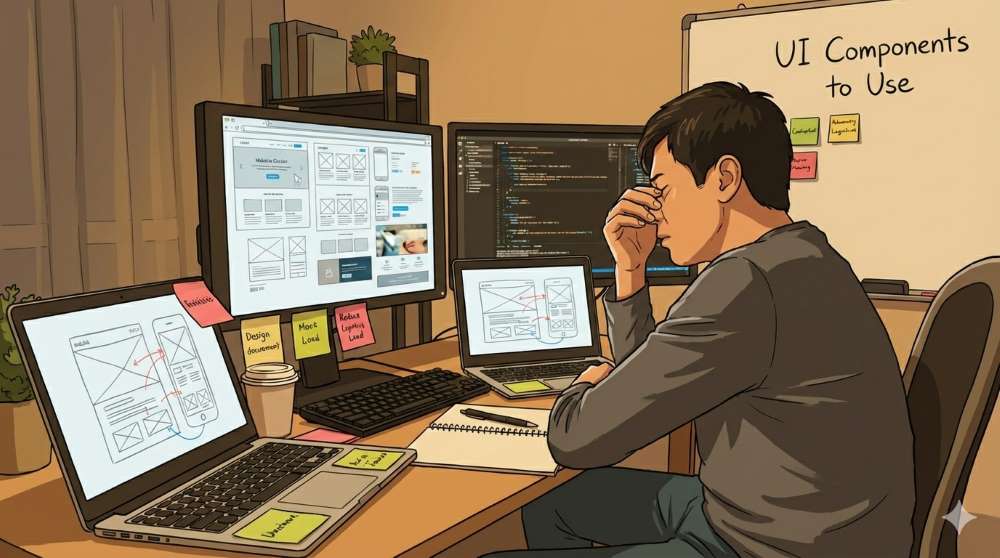
It’s almost evening, and you are staring at your UI progress, thinking of nothing. A few moments later, you realize that you can brainstorm a few functionalities for that web app, but the same doesn't apply to padding problems.
Frontend development demands a lot of precision, making choices, trial and error, and, of course, a lot of thinking. All these things depend on your brain's RAM, slowly draining your energy and creativity.
Those getting ahead have realized the power of UI toolkits and how they relieve cognitive load and prevent mental breakdowns. What does that mean, and what should developers know as they use UI kits in modern-to-future dev cases?
Why Modern Teams Leverage UI Kits as the Brainpower Savior
Offloading the “Full Stack” Brain
Let's say you have been developing your UI and added some interactive functions. Everything is moving smoothly, and you can solve the few errors and hiccups you are experiencing. After hours of sitting and thinking, something comes up:
- A picture you just placed seems to be too close to the introduction text
- The grid is okay on mobile and laptop, but it looks weird on tablets
- Your Figma designer is using a 12px gap, but you have been coding with a 16px gap
All of a sudden, you feel brain-tired. The problem is that it's not the same way you think after dealing with PHP or SQL for hours. UI requires a different way of thinking. When you switch from backend to frontend, your 'brain charge' no longer operates the same way.
Cognitive load creeps in since you have many decisions to make. Some of them require logic, while others are subjective. That constant switching reaches a toxic point where you can no longer solve anything.
Getting TimelyUI or another toolkit for your tech stack serves as your 'external brain' for those small UI decisions. Minor issues related to UI components' appearance and spacing, among other things, are already resolved, leaving you with what matters.
UI kits will also make those comments from backend folks and senior developers easier on you. Why? Because there is consistency in the pre-built components, helping you avoid the small, tiring user interface and experience decisions.
Getting Rid of the Micro Decisions
We mentioned a few of these microdecisions in the previous point. They are, however, small matters that pile up to become a huge obstacle to the UI you are creating. That also trickles down to other tasks related to the whole development.
Don't get it wrong: UI work may not be that hard; it's just endless, with issues and suggestions everywhere. There is time and resources that go into making decisions related to:
- Spacing: Margin, padding, alignment.
- Color: Getting the colors right and their variations, keeping the brand's theme in mind.
- Shadow: Should it be medium, small, or large? Should there be shadows in the first place?
- Layout: Should we use a grid or flex? What’s the best breaking point for a two-column layout?
Frontend gurus can attest to the above issues, since they constantly deal with spacing scales and design tokens as they try to make that UI perfect. For those used to the backend, it's a whole other story, since you are not used to UI/UX matters.
Designers also suffer the consequences of these microdecisions. They have to keep answering design-related questions on Slack or the preferred project organization platform.
UI kits help the entire development team to concentrate on the major matters. How? By having the small matters already solved, you can focus on the presentation and functionality.
Presenting Constraints to Increase Productivity
There is a reason why the late Steve Jobs wore a turtle neck every time he appeared before an audience to present Apple products. Even Mark Zuckerberg started wearing different outfits just the other day. He used to wear t-shirts and jeans during presentations.
These men have made significant strides in the computer niche, but they wanted to maintain the same look every time they present. Why? There is power in making fewer choices when making significant progress.
Toolkits such as Timely UI (in the TALL-stack category) do the same thing. Instead of components that require users to learn every time they interact with your platform, UI kits provide a consistent, familiar experience.
That's how they reduce developers' cognitive load. If you have a problem with the spacing scales, you don't need to think in terms of pixels anymore (13px, 16px). Something like p-4 or p-8 will do. It is easy and predictable, eliminating any room for guesswork.
When inserting colors, hex codes are now replaced with ‘bg-primary’ or similar. The tokens at this point are standard, meaning you don’t need to debate about the colors and the right hex or RGB values.
Component Behavior That Builds Calm
It's nice to have modals, navigation bars, forms, and other parts of your website behave in ways that users find familiar. Even without any extra design tasks, there is a sense of consistency in components that are designed to be similar.
A sense of familiarity builds confidence in dealing with the functionality. That means the developers' minds are not agitated by simple UI needs as they deal with the database and other logical matters.
So, we can all agree that UI kits are like a constrained avenue that lets a dev team drive only in familiar lanes.
UI Kits Reduce Context Switching
Any problem with the user interface halts everything else that is supposed to happen during the coding phase. When you start switching from designing to backend problems, you present your mind to a possible worst-case scenario – a mental crash.
Backend Solving Problems
You are deep into solving a method or function and optimizing database queries. In that moment, you get a notification saying, "Check the alert box ASAP. The border and color seem off."
So, you have to jump to the CSS and HTML sides to solve a visual problem. It may take a minute or ten to fix the issue, and then you have to resume your backend tasks. By the time you are getting back, your mental state is not the same as before.
Frontend Problems Scene
You are tasked with building a dynamic component using Alpine.js, for example, and you have to deal with a dynamic array. In the process, you get a UI message from the senior developer asking what's wrong with the layout's mobile responsiveness.
Your mind is busy dealing with interactivity, and all of a sudden, you have to deal with a layout problem. That's another case of a mental switch that may not be the same by the time you return to your array.
Designer Problems
You are using your design toolkit or platforms (e.g., Figma or Framer). After every five minutes or so, you have to answer questions like:
- Which spacing scale should I use here?
- Should every button have a border radius?
Now, the flow motion in your brain just been disrupted.
Toolkits Fix the Context Switching
When a UI kit is in the midst, all of the above problems slide away. How?
- Backend guys can stay there, pulling the components they need
- Frontend gurus will not have to reinvent UI patterns
- Designers don’t have to answer every question because the toolkit has the rules
When a kit to improve UX is available, it provides a resource that you may not recognize until it's interrupted – a steady, flowing state.
No More Visual Anxiety
Does dealing with UI presentation matters cause any emotional stress? Yes, according to the many developers who deal with it every other day, they have a project.
We will present three scenarios again, that developers face depending on what they are dealing with.
- Backend: You fear presenting an ugly UI. You don't want to do anything that contradicts what is presented in Figma, Framer, or other design platforms in use.
- Frontend: They have no intense problems like the backend folks. They, however, have to deal with the pressure of meeting the specs every time they design an element.
- Design: The designers are responsible for the UI's look and feel. When they design, correct implementation and consistency are qualities constantly under threat. So, more time is spent on quality control than on the actual design.
UI kits are here now to improve the psychological aspect of coding. When you have a UI kit:
- Spacing rules are well defined
- Color choices are well placed
- There is consistency in interaction and what to include on every page
- All the necessary standards are already enforced
- There is a shared approach that the whole team understands
…and that’s how a UI toolkit (or even a system) reduces anxiety for everyone involved.
Cognitive Load Reduction for the Users
We have been addressing developers’ mental health issues above as if users are not subject to them. For users, cognitive load increases when they have to learn new UI moves on your platform.
There is nothing wrong with learning here. On the other hand, there is a reason email icons look like envelopes. If you want to click a dropdown and access the list, the icons have a V shape. Again, there is a reason for that.
We could go on and on here to see why most icons look like real-world objects. That’s skeuomorphism. It helps users quickly learn where the social media icons are and where to click to proceed to the next page.
What do UI toolkits have to do with all this?
They help developers use icons, modals, navigation, buttons, and forms in ways users can understand. So, as they reduce developers' workload and thinking, users find it easier to access and interact with your platform.
UI kits also help present information more effectively through well-defined typography. Logical organization of information helps users know what to expect and where to find it.
A good example of that is platforms with long forms that collect users' data. Such forms include instructions to guide you through every step and what to fill in each part. UI kits help developers insert such information correctly. Users use what they know to familiarize themselves with what's needed on that form.
Let TimelyUI Toolkit Reduce the Mental Workload
Numerous UI toolkits serve various purposes depending on the target platform and the programming languages in use. If you need one for the web development tasks, then here is TimelyUI for you, and it’s equipped to get you started.
It's in the TALL stack category, which is a huge plus for those in the Laravel world who need well-equipped components to accelerate their development. Now, what does this UI kit have to ease the developers’ mental load?
Tailwind Enforces the UI Looks
Our UI has the utility-first CSS framework that allows the components to have:
- Unified spacing
- Unified typography
- Unified colors
- Familiar responses
You don’t need to add custom CSS files with custom class names. The rules applied are the same. The only thing to consider is customization based on your web app requirements.
Alpine.js for Lightweight Interactivity
Now, there is a JavaScript framework that lets you work on your project without leaving your HTML or Blade files. It's Alpine.js, and it gives you a lighter way to add component behavior.
You don’t need Webpack or any other complex tool. So, the burden of learning and working with a giant JS framework is now reduced to a lightweight framework that supports modern interface building.
Livewire for Backend Developers
Livewire ensures that those on the backend think about reactivity and logic within the same spectrum – PHP. The UI needs are already present, so you can focus on functionality, validations, and security.
With our toolkit, all you need to do is set up and start working on your project. We have:
- More than 250 components are ready for use
- 40+ layouts and patterns
- Affordable pricing plans based on your dev tasks
Wrapping Up: Let UI Kits Save Your Brain Load
Whenever there is an app or website order, the team involved wants to ship it as quickly as possible. Being a guru helps, but in the modern world, that is not enough.
Getting UI toolkits will help you address the user experience with the right components, interactions, accessibility, and performance. We have TimelyUI here, it's about to make your development days easier, calmer, and with less fatigue.
Frequently Asked Questions
1. How is a UI toolkit helping me reduce developer fatigue if I still have to make backend decisions?
UI toolkits help you avoid the micro-decisions involved in user interface design. Instead of thinking about the numerous ways you could design various parts and components, a kit presents you with pre-made decisions. That leaves you to think about the logic part.
2. Will using UI kits kill my creativity?
No. UI toolkits may enhance or limit your creativity, but they don't replace it. When you don’t think about small details like spacing and shadows, you have more room to explore other ways to improve the design. Since your brain is not thinking about ‘everything’ in your project, you have better chances of working on the uniqueness of the product.
3. Does using UI toolkits help developers only?
No. Using UI kits helps everyone involved in the team during development. The designers don’t have to think about numerous ways to design various components. Frontend experts do not need to code every component, and backend gurus can focus on the logic and functionality.