
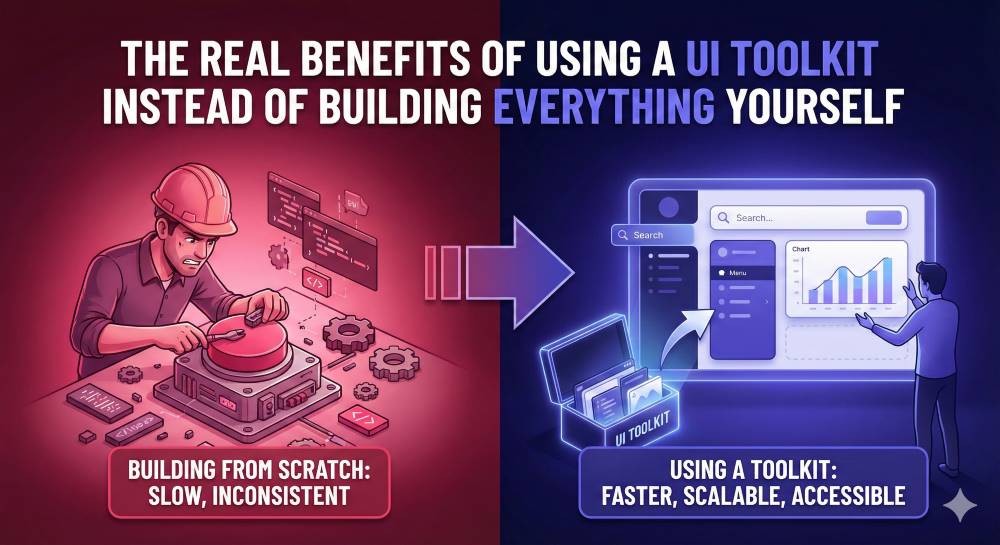
Regardless of the language or framework you use to program, there is one headache that every developer faces: creating a user interface from scratch. We know what to do and what the results will be, but who wants to struggle with the brain-draining task?
Even with plenty of UI toolkits and libraries available online, some still dare to take on a custom UI approach. It's possible, since technology (and AI) already enables it, but why take the hard road?
UI kits are here to make development easier, resulting in faster output and other benefits.
What Benefits Do Developers Enjoy From Using Ready UI Toolkits?
Before we shed light on the benefits, here is a scenario that will make you appreciate using UI kits.
"Let's say you want to build a new electric car model. The internal workings will not be the same as those of gas cars, which means the bodywork will have a few changes. You are the lead engineer responsible for the car's internal workings.
You have to rely on mechanics who are used to working on gas cars to design the car's exterior. Now, imagine having the mechanics working on new body parts from scratch every time you have a few deliveries to make?”
In that scenario, it’s easier when the mechanics have modified systems, 3D models, and reference points to build new models. Otherwise, it's a hard job to come up with new parts every time.
Now, let’s switch that to a backend developer pushing the frontend guys to design new icons and navigation bars whenever you need a fresh website UI. There are numerous advantages to having a ready-made UI kit you can customize.
1. Improved Development and Production Speed
The obvious benefit of relying on ready-made UI toolkits is the speed with which you can complete and ship your projects. When a UI component or element is ready, it’s all about pulling or dropping what you need to customize.
Building a UI kit from scratch often poses the following challenges:
- Hours of experimenting with colors, spacing, padding, and alignment
- Write and modify CSS classes until you can't think anymore
- Dealing with breakpoints until you get them right
- Designing the same navigation bar and cards for the eighth time now
We know the above hurdles and more because we have been there. Coming up with TALL-stack solutions, such as TimelyUI, enabled our developers to have ready:
- Dashboard samples
- Date and time pickers
- Forms
- Tables
- Navigation bars
- Login/registration samples
- Loaders
Building it at first was a hectic job that made some of our junior developers give up typing for some time. After completing the job, everyone now appreciates the presence of an input field that you can just customize the color and border of.
That means all the programming efforts go towards the logic and functionality. Production time, whether for a whole product or just a few vital features, is now cut in half.
What used to take days to code is now taking a few hours to a day to complete and ship.
2. More Backend Logic than Frontend Guesswork
As we address this point, we are more focused on our Laravel dev crew, who need more time on the controller and model sides than on the view. That does not exclude any other developer, since you all need to work on:
- The models
- Creating eloquent queries
- Writing classes
- Solving the workflows and events
Of course, other backend matters need your attention. What developers don't want is to think about the UI while working on functionality. Why? Because your brain has to think about the two sides of development. For example:
- The backend problem of inserting data into two tables from one form
- The frontend problem of checking if the input fields have the exact vertical alignment
It's tiring to think about both aspects as you try to come up with a final product that will entice users (and your client, of course). When you have a ready kit addressing the user interface problems, you don’t need to think about issues like:
- How is the spacing?
- Should I have medium or large box shadows?
- How should my links behave on hover?
- Is the typography consistent?
In other words, you have more room to focus on backend matters rather than pixel-related problems.
3. Enhancing Quality Compliance
UI systems and kits provide solutions you just need to tweak, and you are fine. The problem with user interfaces is that the moment you start checking beyond the surface, you realize how big the iceberg is.
If you are a perfectionist, this is when you create a very long, pondering day for yourself.
"Yeah…I think that button is okay, but…"
- Is the color contrast making it stand out?
- Are we meeting the WCAG guidelines?
- Can I navigate those components using my keyboard?
- Is the spacing consistent on mobile?
Well, those details matter a lot, which is why they require long hours of thought from you. The issue is that you should focus elsewhere, since specialists have already addressed it using the kits.
Having a toolkit presents you with:
- All the color palettes and button variations
- States and interaction patterns
- Validation messages
- Navigation
- Mobile responsiveness
So, as you think about the logic, the presentation quality tick is already in place, thanks to:
- Inbuilt accessibility
- Stable layouts
- Predictable behavior
- Trustworthy and polished interfaces in general
So, do you really have to become the UI/UX expert?
4. Components Work by Default
At this point, we are going to lean on the TALL stack, since that's where we currently reign. It is, however, a benefit that even those developing native apps and games witness.
In Laravel, for example, it's pretty hectic to wire an HTML component into Livewire. The pain involves:
- Wire:model addition
- Coming up with Alpine.js listeners
- Adding and confirming validation messages
- Solving the loading states
- Ensuring everything is working as expected
These, among many other issues, are some of the reasons why frontend jobs are still available. Why? It's not fun when different developers have to deal with UI bugs that take time to fix, while more work is pending in the backend.
UI kits made for Laravel and Livewire solve such problems with ease. In TimelyUI, for example, all our components have:
- Proper component wiring
- Added listeners
- Working validations
- Loading and disabled states
- Verification through robust UI testing
With our UI kit, you just pull the component, perform minimal modifications, and you are good to go. It's almost like magic. Such a toolkit already handles the wiring, so you don't have to deal with Tailwind configuration or Alpine scripts.
As you work on that system with such a kit, do you realize how much work you just avoided?
5. Your Code is Future Proof
When users interact with your platform, they can see and monitor data movement. On the other hand, what sticks in their mind is how the user interface looks.
Now, let’s go back to the dev matters. If you have ever inherited a web project that does not follow the coding conventions, you are bound to witness:
- Inline styles
- Inconsistent colors
- Random Bootstrap and Tailwind classes
- One form has 3-4 different input field versions
- Layouts that don’t break when the screen size changes
- You cannot reuse any component
Anyone who has tried to build a UI from scratch always faces these hurdles. When you have a UI kit instead, you get:
- A folder structure
- Consistency in coloring
- Organized markup patterns
- Standard conventions
- Design consistency
- Reusable components
You see, since the wheel's invention, everyone follows the same shape to create their variations. UI toolkits are the round shapes of varying sizes that let you create various types of wheels and tires for your rides.
In development, having UI kits as guidelines makes it easy to understand user interfaces in general. In addition to creating a beautiful impression, it will make it easy for visitors to navigate, even if they are landing on your platform for the first time.
Later, you or another developer can also fix bugs and modify where necessary. That's how you deliver products that are maintainable for years to come with minimal upgrading challenges.
6. Toolkits Offer a Professional Polish
If you are a solo developer trying to make a product and a name for yourself, toolkits can save your day. It doesn’t matter whether you are relying on Bootstrap, TimelyUI, or a custom kit your friend worked on last year and uploaded to GitHub.
There is something called credibility, and it's a factor in everything we do, even web development and other programming-related tasks. Now, let's say you want to build all the components and the backend yourself.
You end up presenting a one-man show that actually needs some third-eye checking, recommendations, and support. Doing everything by yourself will not help when capturing the sloppy parts.
Using well-developed UI kits that align with your technology stack shows professionalism. It also allows you to pose 'as if you have a team'. It’s a vital move these days, even for future clients who will hire your expertise.
Using kits gives you a library of components that are well-polished and ready for continued use for years to come. Also, it implies that another professional worked on and verified aspects such as:
- Professional elements spacing
- Uniform topography presentation
- Modernization based on upcoming trends
- Well-arranged interactions
- Well-thought animations
When you have the support of other professionals, what you develop gives a sense of reliability, trustworthiness, and market readiness.
7. Staying Within Agreed Coding Conventions
The point above is what makes us raise this one. When building components, imagination can sometimes get in the way of accepted standards. You are busy building an interactive pop-up, and then a few questions pop into your mind:
- Should the slide be on the right or the bottom?
- Should the pop-up have a swipe or fade effect when opening and closing?
- How do pop-ups behave for such a feature?
Most developers come up with cool or sloppy ways of making items behave in specific ways. The issue is that not all users (and even other developers) will understand what you just coded.
UI toolkits provide you with tried-and-tested elements and patterns. What other designers are working on out there is always based on:
- The industry standards
- Common UX experiences
- Effects and behavior that relate to users
- Proven patterns from other web platforms and apps
- Developer and user feedback
Kits let you use UI components that resonate with what users expect when they first see the interface you've developed. After launch, you will not have friction or surprises as users learn to navigate.
8. Low Development Costs, More ROI
If you have an extensive web-based system to accomplish, you know that it's going to take time. Building a custom UI for it sounds incredible and 'free' since you don't have to depend on others for the same. On the other hand, how are the costs of development and doing business affecting you?
You are wasting a lot on:
- Dev hours
- Maintenance schedules
- Debugging time
- UI rewrites when they come up
- Fixing distorted layouts
- Learning new HTML and CSS trends
There is more to that list that contributes to time wastage, all in the name of 'developing everything yourself'. A UI kit will save all the time needed to deal with such frontend problems. Why? It's already solved for you.
With a dedicated components library by your side, you are saving yourself from:
- Thinking about the design perspectives
- Learning new CSS trends
- Dealing with layout and alignment issues
- Wiring and other JS-based programming
- UI debugging
The result is that you save money by hiring frontend designers to create UI elements. Instead, the budget is cut to have the frontend guy customize the current UI components.
Other guarantees fall under quality assurance, quick iteration, and better team collaboration.
Wrapping Up: Stop Re-Inventing the Wheel
Hey! The components you need to define your UI are already out there. You just need to search for the ones resonating with your stack of technologies and start focusing on other coding matters.
Now, instead of fighting an already won battle, leverage TimelyUI among other well-established UI toolkits and realize benefits such as:
- Faster product development
- Polished UI quality
- Less cognitive load
- Instant integration
- Lower development costs
- Tested and proven UI components
Free yourself and what you are developing from the struggles of creating new UI elements.
Frequently Asked Questions
1. Is a UI toolkit suitable for a beginner learning to code?
Yes. A UI toolkit is suitable for all beginning developers who are learning various languages and frameworks. It will help you see the practicality of what you are learning as you grasp the fundamentals. On the other hand, it's advisable to learn the languages that support the kit to avoid abstracting fundamentals due to over-reliance on prebuilt solutions.
2. Will using a heavy UI toolkit like TimelyUI slow down my application?
Heavy UI kits can slow down applications, but this depends on the underlying languages and frameworks used to build them. TimelyUI, for example, leverages the TALL stack, which makes it lightweight. Tailwind is a utility-first framework that only renders the classes you need, while Alpine has a small footprint, minimizing the performance bottlenecks.
3. Will UI kits help me avoid delivering ‘spaghetti UI’ code?
A UI toolkit will help you avoid 'spaghetti' code by adopting a modular approach and maintaining consistent coding standards. However, it's not your magic bullet, since it's your responsibility to deliver maintainable code that others can read, understand, and contribute to.